

This guide is for organization admins. If you haven’t upgraded to an organization yet, see Platform Partners first.
What you can embed
Checkout
Sell an agent’s plans — or a standalone plan with no agent — from your own pricing page.
Card enrollment
Let users add a payment method without leaving your site. Returns the resulting
paymentMethodId.Card delegation
List enrolled cards, create delegations, and revoke either — without redirecting to nevermined.app.
How it works
{ email, orgId, rawSecret } to the Nevermined API server-to-server; the API hashes the candidate and constant-time compares against the SHA-256 of the keys you generated in the dashboard, then returns a 2-hour WidgetSession your backend forwards verbatim to the browser SDK.
Setup
1
Generate a widget key
Open Settings > Organization in the Nevermined App and scroll to the Widget Integration section.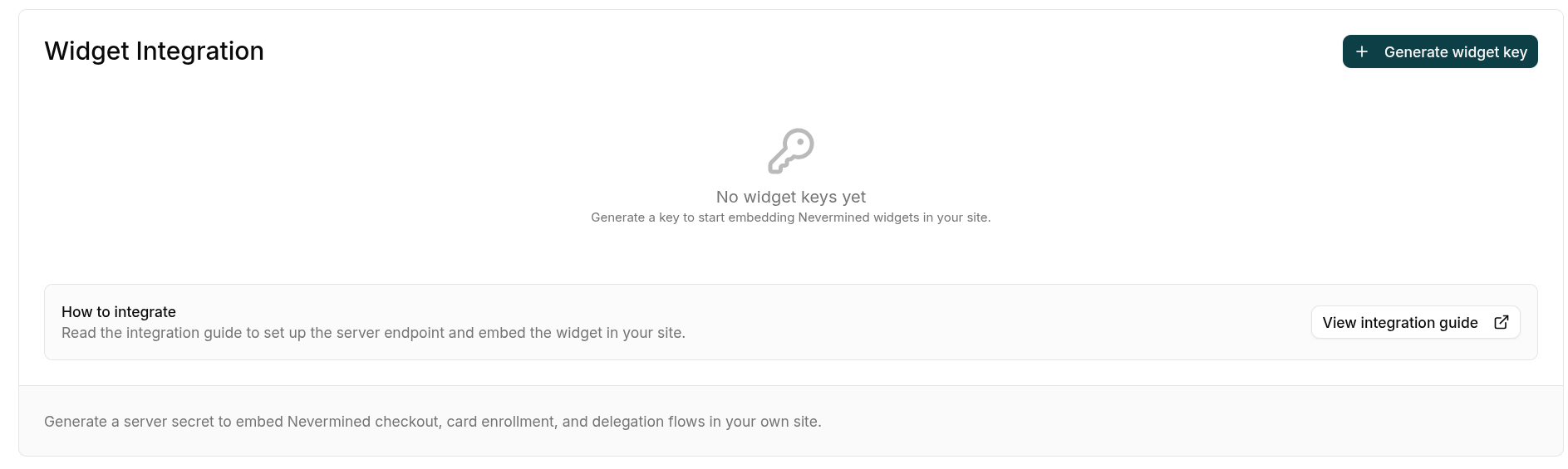
-
Name — a descriptive label, e.g.
Production website. -
Allowed origins — every domain where the widget will be mounted, e.g.
https://yourcompany.comandhttps://staging.yourcompany.com. At least one origin is required. Use Add origin to add more rows. No path, query, fragment, or trailing slash.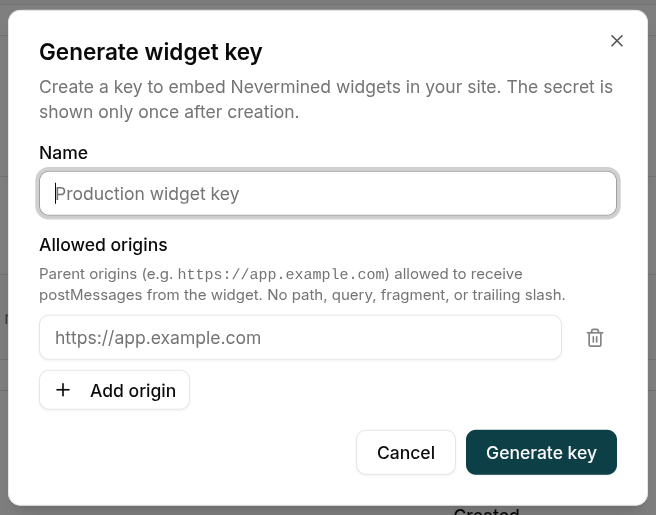
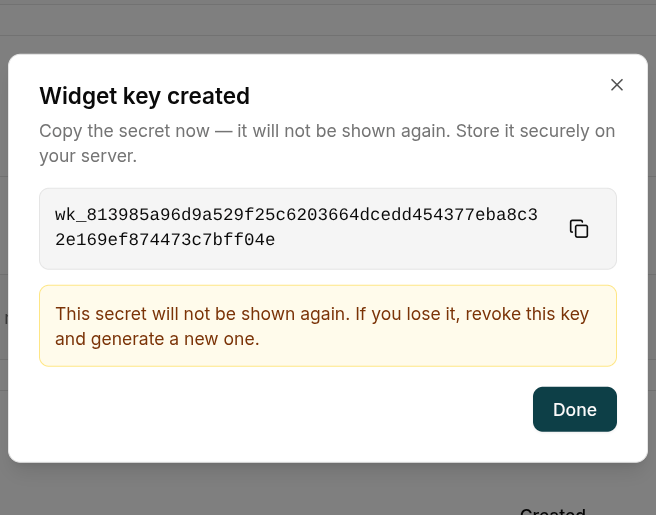
parentOrigin doesn’t match this allowlist — it’s your second line of defense if the secret ever leaks. You can edit the list later from the key’s actions menu without rotating the secret.Click Generate key. The raw secret is shown once. Copy it and store it as an environment variable on your server (for example, NVM_WIDGET_SECRET). You won’t see it again.2
Mint the widget session on your server
Install the server SDK on your backend and expose a small endpoint that mints a The call is the same regardless of framework:Pick the framework that matches your stack:
WidgetSession for the currently logged-in end-user.- Vite middleware
- Express
- Next.js Route Handler
email identifies the end-user of your site, not the org admin. Resolve it from your auth session — Nevermined uses it as the canonical identity for the widget user (the same email logging in directly at nevermined.app resolves to the same Privy user, wallet and profile).3
Mount the widget in the browser
Install the browser SDK on your frontend.Fetch the Then mount whichever widget you need into a container element on your page:Each
session from your endpoint with a POST (the server side mints a bearer credential — GET would risk caching/prefetching it) and pass it straight to the SDK. The same nvm instance can mount any of the available widgets.onSuccess receives a single event object: event.result holds the flow’s result fields and event.handle.close() dismisses the iframe. The widget stays mounted on success (showing its success state) until you call handle.close() — there is no auto-dismiss.- Checkout (agent)
- Checkout (plan only)
- Enroll a card
- List & delegate
Sell a specific agent’s plans. Pass the agent
did; planId is optional — omit it to show the plan carousel.Every iframe-mounting method also accepts optional
width / height (pixels) for inline sizing — the SDK clamps them to a supported range; omit them for the default overlay.Available widgets
All iframe-mounting methods share the same lifecycle:
A widget instance is single-use. Once it reaches a terminal state — you call
event.handle.close() after success, or it fires onError / onClose — calling its method again throws. Construct a fresh widget via the same nvm instance to mount another flow.Redirect / CLI mode (no iframe)
For integrations that aren’t an in-page iframe — a CLI tool, or any flow where you’d rather hand the user to a full-page Nevermined screen and get them back via a callback — open the embed route as a top-level browser navigation instead of mounting it through the SDK. You pass asessionToken and a returnUrl on the query string. The page runs the same flow and, on success, redirects the browser to returnUrl with the result IDs (plus your state echo) appended as query parameters — the same shape as an OAuth callback.
These pages are served by the dedicated embed app (https://embed.nevermined.app in production, https://embed.nevermined.dev on staging, http://localhost:4250 in local dev) — the same origin the SDK mounts in iframe mode. Supported on the card flows and plan-only checkout; the agent checkout (/checkout/$did) is iframe-only.
Minting a session for redirect mode
- CLI / logged-in Nevermined user —
POST {apiBaseUrl}/api/v1/widgets/session/selfwith the user’s Nevermined credential and theorgId(the user must be a member of the org). Self-mint sessions only accept localhostreturnUrls — the CLI listens on a local port. - Hosted site — mint with the same server-side
createWidgetSessionas the iframe flow; thereturnUrlmust belong to the widget key’sallowedOrigins.
Example
Identity
A widget session is minted for a specific email (the end-user you passed tocreateWidgetSession), and that session is the sole identity inside the iframe. The embed app is Privy-free: it never reads the host page’s Nevermined (Privy) login — which is exactly why it runs on any of your domains without that domain having to be on Nevermined’s auth allow-list. There’s nothing to reconcile on the host side, so no onAuthMismatch / host-login handling is needed; the widget always acts as the session’s user.
Environments
Pick the environment that matches the Nevermined dashboard you used to mint the widget key.
The SDK resolves all three for you from the
environment you pass to initialize — you only need the Embed app origin when building a redirect-mode URL by hand. A single embed deployment serves both networks of its tier; the SDK forwards the active one as a ?network= query param when it mounts.
Production checklist
Server-side secrets only
Keep
NVM_WIDGET_SECRET in your runtime env vars. Never commit it, never ship it to the browser, never put it in NEXT_PUBLIC_* or VITE_* variables.Allowed origins populated
Add every domain where you mount the widget. The backend rejects sessions from any other origin.
HTTPS only
Serve both your site and your widget-session endpoint over HTTPS in production.
parentOrigin includes the scheme, so origins must match exactly.Real email per session
Pass the actual end-user email from your auth — never a placeholder, never the same value for every visitor. It’s the canonical identity used across Nevermined.
Rotate on suspicion
If the secret might have leaked, revoke the key from the dashboard and generate a new one. Update your env var and redeploy. The API only ever stores its SHA-256, so the only recovery path is rotation.
Short session TTLs
Widget sessions expire after 2 hours; the SDK auto-refreshes them in-place. Don’t cache or share session objects across users.
Troubleshooting
Related
Platform Partners
Background on Nevermined organizations and how to upgrade your account.
Card enrollment
How Nevermined card enrollment works under the hood — the widget surfaces this same flow.